Building an AI Copilot for Enterprise Applications
Architecture patterns for embedding AI copilots into enterprise software including context management, action execution, permission models, and evaluation frameworks

AI copilots are transforming enterprise software from tools users operate into partners that assist proactively. Unlike chatbots that answer questions, copilots understand application context, suggest actions, execute tasks, and learn from user behavior within the constraints of enterprise security and compliance.
This article covers the architecture for building AI copilots that integrate deeply into existing enterprise applications while maintaining reliability and trust.
Copilot vs Chatbot vs Agent
Understanding the distinction drives architectural decisions:
| Dimension | Chatbot | Copilot | Agent |
|---|---|---|---|
| Initiative | Reactive only | Proactive + reactive | Autonomous |
| Context | Conversation history | Full application state | Environment state |
| Actions | None (text only) | Suggest + execute with approval | Execute independently |
| Scope | General knowledge | Application-specific | Goal-oriented |
| Trust model | Low stakes | Human-in-the-loop | Autonomous (bounded) |
| Integration depth | Surface (API/widget) | Deep (state access) | System-level |
Architecture Overview
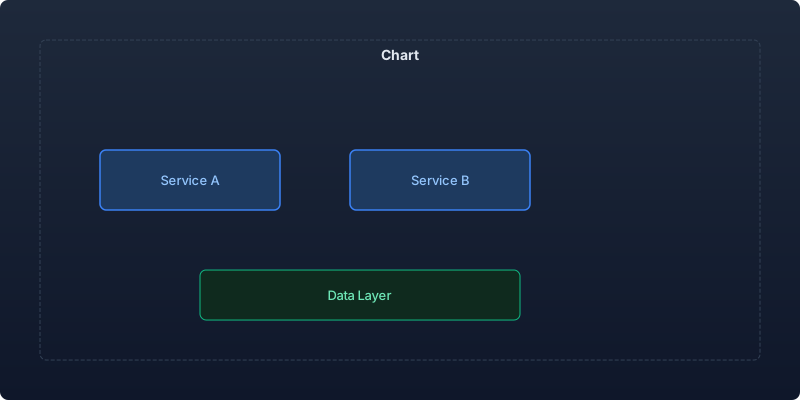
An enterprise copilot integrates at four levels:
| Layer | Function | Components |
|---|---|---|
| Context Layer | Understand current application state | State observers, event streams |
| Intelligence Layer | Reason about user intent and next actions | LLM, retrieval, planning |
| Action Layer | Execute operations on behalf of the user | Tool APIs, permission checks |
| Learning Layer | Improve from user feedback and behavior | Fine-tuning, preference learning |
Context Management
The copilot must understand what the user is doing, not just what they are saying:
from dataclasses import dataclass, field
from typing import Any, Dict, List, Optional
import time

@dataclass
class ApplicationContext:
    """Full application context available to the copilot."""
    user_id: str
    user_role: str
    current_page: str
    current_entity: Optional[Dict[str, Any]] = None  # e.g., the record being viewed
    recent_actions: List[dict] = field(default_factory=list)
    session_data: Dict[str, Any] = field(default_factory=dict)
    permissions: List[str] = field(default_factory=list)
    org_context: Dict[str, Any] = field(default_factory=dict)

class ContextManager:
    """Manage and update copilot context from application events."""

    def __init__(self, max_history: int = 50):
        self.contexts: Dict[str, ApplicationContext] = {}
        self.max_history = max_history

    def update_from_event(self, user_id: str, event: dict):
        """Update context from application events."""
        ctx = self.contexts.setdefault(user_id, ApplicationContext(
            user_id=user_id, user_role="", current_page=""
        ))

        event_type = event["type"]

        if event_type == "page_navigation":
            ctx.current_page = event["page"]
            ctx.current_entity = event.get("entity")
        elif event_type == "entity_view":
            ctx.current_entity = event["entity"]
        elif event_type == "action_performed":
            ctx.recent_actions.append({
                "action": event["action"],
                "target": event.get("target"),
                "timestamp": time.time(),
            })
            # Trim history
            ctx.recent_actions = ctx.recent_actions[-self.max_history:]

    def build_prompt_context(self, user_id: str) -> str:
        """Build context string for LLM prompt."""
        ctx = self.contexts.get(user_id)
        if not ctx:
            return "No application context available."

        parts = [
            f"User role: {ctx.user_role}",
            f"Current page: {ctx.current_page}",
        ]

        if ctx.current_entity:
            parts.append(f"Viewing: {json.dumps(ctx.current_entity, indent=2)}")

        if ctx.recent_actions:
            recent = ctx.recent_actions[-5:]
            parts.append("Recent actions: " + ", ".join(
                a["action"] for a in recent
            ))

        return "\n".join(parts)
Intent Detection and Action Planning
The copilot must determine whether to respond passively or take action:
from openai import OpenAI
import json

class CopilotBrain:
    """Core intelligence layer for the copilot."""

    SYSTEM_PROMPT = """You are an AI copilot embedded in an enterprise application.
Your role is to help users accomplish tasks efficiently.

Given the user's message and application context:
1. Understand their intent
2. Determine if you can help with available tools
3. Either answer their question, suggest an action, or execute a task

Rules:
- Only suggest actions the user has permission to perform
- Always explain what you're about to do before doing it
- If uncertain, ask for clarification
- Never modify data without explicit user confirmation for destructive actions"""

    def __init__(self, client: OpenAI, tools: list):
        self.client = client
        self.tools = tools

    async def process(self, user_message: str, context: ApplicationContext,
                     conversation_history: list) -> dict:
        """Process user input and determine response."""
        messages = [
            {"role": "system", "content": self.SYSTEM_PROMPT},
            {"role": "system", "content": f"Application context:\n{self._format_context(context)}"},
            *conversation_history[-10:],
            {"role": "user", "content": user_message},
        ]

        response = self.client.chat.completions.create(
            model="gpt-4o",
            messages=messages,
            tools=self.tools,
            tool_choice="auto",
            temperature=0.2,
        )

        message = response.choices[0].message

        if message.tool_calls:
            return await self._handle_tool_calls(message, context)
        else:
            return {"type": "text_response", "content": message.content}

    async def _handle_tool_calls(self, message, context: ApplicationContext) -> dict:
        """Execute tool calls with permission checking."""
        results = []

        for tool_call in message.tool_calls:
            # Permission check before execution
            if not self._has_permission(tool_call.function.name, context):
                results.append({
                    "tool": tool_call.function.name,
                    "status": "denied",
                    "reason": "Insufficient permissions",
                })
                continue

            # Check if action requires confirmation
            if self._requires_confirmation(tool_call.function.name):
                return {
                    "type": "confirmation_needed",
                    "action": tool_call.function.name,
                    "params": json.loads(tool_call.function.arguments),
                    "description": message.content,
                }

            # Execute the tool
            result = await self._execute_tool(tool_call)
            results.append(result)

        return {"type": "action_executed", "results": results}

    def _has_permission(self, tool_name: str, context: ApplicationContext) -> bool:
        """Check if user has permission for the requested action."""
        permission_map = {
            "create_record": "write",
            "update_record": "write",
            "delete_record": "admin",
            "export_data": "export",
            "view_analytics": "read",
            "send_notification": "write",
        }
        required = permission_map.get(tool_name, "admin")
        return required in context.permissions
Tool Definition and Execution
Define application-specific tools the copilot can invoke:
class CopilotToolRegistry:
    """Registry of tools available to the copilot."""

    def __init__(self):
        self.tools = {}

    def register(self, name: str, description: str,
                parameters: dict, handler: Callable,
                requires_confirmation: bool = False,
                permission_level: str = "read"):
        """Register a tool for copilot use."""
        self.tools[name] = {
            "definition": {
                "type": "function",
                "function": {
                    "name": name,
                    "description": description,
                    "parameters": parameters,
                },
            },
            "handler": handler,
            "requires_confirmation": requires_confirmation,
            "permission_level": permission_level,
        }

    def get_tool_definitions(self, permissions: List[str]) -> list:
        """Get tool definitions filtered by user permissions."""
        return [
            tool["definition"]
            for tool in self.tools.values()
            if tool["permission_level"] in permissions
        ]


# Example tool registrations
registry = CopilotToolRegistry()

registry.register(
    name="search_records",
    description="Search for records in the current module using natural language",
    parameters={
        "type": "object",
        "properties": {
            "query": {"type": "string", "description": "Search query"},
            "module": {"type": "string", "description": "Module to search in"},
            "limit": {"type": "integer", "default": 10},
        },
        "required": ["query"],
    },
    handler=search_handler,
    permission_level="read",
)

registry.register(
    name="update_record",
    description="Update fields on the current record",
    parameters={
        "type": "object",
        "properties": {
            "record_id": {"type": "string"},
            "updates": {"type": "object"},
        },
        "required": ["record_id", "updates"],
    },
    handler=update_handler,
    requires_confirmation=True,
    permission_level="write",
)
Proactive Suggestions
Move beyond reactive responses to anticipate user needs:
class ProactiveSuggestionEngine:
    """Generate contextual suggestions based on user behavior patterns."""

    def __init__(self, client: OpenAI, pattern_store):
        self.client = client
        self.patterns = pattern_store

    async def generate_suggestions(self, context: ApplicationContext) -> List[dict]:
        """Generate proactive suggestions based on context."""
        suggestions = []

        # Pattern-based suggestions
        pattern_suggestions = self._check_patterns(context)
        suggestions.extend(pattern_suggestions)

        # Context-based suggestions (what users typically do next)
        if context.current_entity:
            next_actions = self._predict_next_actions(context)
            suggestions.extend(next_actions)

        # Anomaly-based suggestions (something looks wrong)
        anomalies = self._detect_anomalies(context)
        suggestions.extend(anomalies)

        # Rank and limit
        return sorted(suggestions, key=lambda x: x["priority"], reverse=True)[:3]

    def _predict_next_actions(self, context: ApplicationContext) -> List[dict]:
        """Predict likely next actions based on behavior patterns."""
        user_patterns = self.patterns.get_user_patterns(context.user_id)
        page_patterns = self.patterns.get_page_patterns(context.current_page)

        predicted = []
        for pattern in page_patterns:
            if pattern["frequency"] > 0.3:  # Action taken >30% of the time
                predicted.append({
                    "type": "action_suggestion",
                    "action": pattern["action"],
                    "description": pattern["description"],
                    "priority": pattern["frequency"],
                })

        return predicted
Evaluation Framework
Measure copilot quality across multiple dimensions:
| Metric | Target | Measurement Method |
|---|---|---|
| Task completion rate | > 80% | User confirms task was completed |
| Suggestion acceptance rate | > 40% | Track suggestion clicks |
| Time saved per task | > 30% | Compare with/without copilot |
| Error rate (wrong actions) | < 2% | Undo/correction tracking |
| User satisfaction (weekly) | > 4.0/5 | In-app survey |
| Permission violation attempts | 0 | Security audit logs |
| Hallucination rate | < 3% | Automated fact-checking |
Key Takeaways
- Context is everything. A copilot that understands what you are looking at is 10x more useful than one that only understands what you type. Invest heavily in context management.
- Permission-aware actions build trust. Never expose tools to the copilot that the user cannot perform. This prevents both security issues and confusing suggestions.
- Confirmation gates prevent disasters. Any write or delete operation should require explicit user confirmation. The copilot suggests; the human decides.
- Proactive beats reactive. The most valued copilot features are suggestions that appear before the user asks. Analyze behavior patterns to anticipate needs.
- Measure task completion, not conversation quality. A copilot that completes tasks in 2 messages beats one that has eloquent 10-message conversations.
Enterprise copilots represent the next evolution of business software. They transform applications from passive tools into active collaborators while respecting the security, compliance, and control requirements that enterprise customers demand.
Recommended reading
The State of Agentic AI in 2026: Capabilities, Limitations, and Production Readiness
Comprehensive analysis of agentic AI in 2026 covering production capabilities, current limitations, and enterprise readiness benchmarks with real deployment data.
Observability for AI Agents: Tracing Multi-Step Reasoning Chains in Production
How to implement production observability for AI agents including distributed tracing, reasoning chain analysis, and debugging multi-step failures.
Measuring and Reducing AI Workload Carbon Emissions: A Practical Engineering Guide
Building a carbon-aware scheduling system for ML training and inference workloads that reduced our AI infrastructure emissions by 42% while maintaining SLA commitments.



Comments
No comments yet. Be the first to share your thoughts.