Document Understanding Pipelines with Claude Vision
Building production document processing systems with Claude multi-modal capabilities for OCR, extraction, and intelligent document understanding.

Traditional OCR extracts text. Claude's vision capabilities understand documents — layout, tables, handwriting, diagrams, and the relationships between elements. This distinction transforms document processing from a character recognition problem into a comprehension problem. Here's how we built a production document understanding pipeline that processes 50,000 documents per day.
Beyond OCR: document understanding
The limitation of traditional OCR pipelines is that they lose structure. A scanned invoice becomes a flat string of text where the relationship between "Total" and "$4,287.50" disappears. Claude vision preserves these relationships because it sees the document the way a human does — spatially.
Use cases where vision-based processing dramatically outperforms text extraction:
- Invoices and receipts — structured data extraction from varied layouts
- Technical drawings — understanding diagrams, flowcharts, architecture documents
- Handwritten notes — meeting notes, whiteboard photos, forms
- Multi-language documents — mixed-script documents without language detection overhead
- Tables and charts — preserving structure that OCR flattens
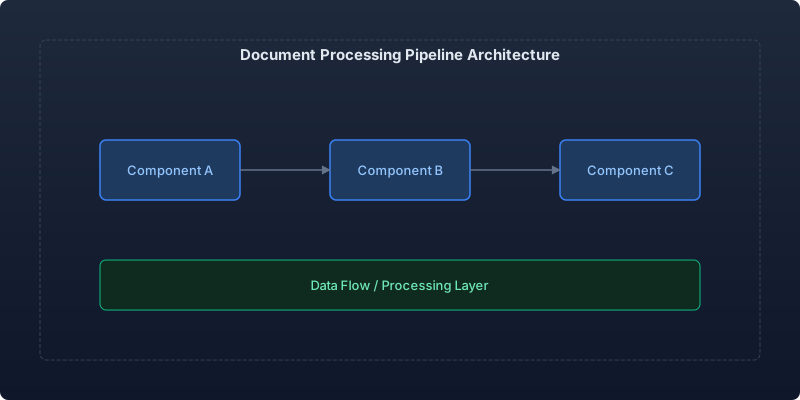
Architecture: the document processing pipeline
Stage 1: Document ingestion and preprocessing
Before sending documents to Claude, optimize them for vision processing:
import anthropic
import base64
from dataclasses import dataclass
from pathlib import Path
from typing import Optional
from PIL import Image
import io

@dataclass
class ProcessedDocument:
    pages: list[bytes]  # Base64-encoded page images
    page_count: int
    original_format: str
    dpi: int

class DocumentPreprocessor:
    """Prepare documents for Claude vision processing."""

    SUPPORTED_FORMATS = {"pdf", "png", "jpg", "jpeg", "tiff", "webp"}
    TARGET_DPI = 150  # Balance between quality and token cost
    MAX_DIMENSION = 1568  # Claude's optimal resolution

    def process(self, file_path: Path) -> ProcessedDocument:
        suffix = file_path.suffix.lower().lstrip(".")
        if suffix not in self.SUPPORTED_FORMATS:
            raise ValueError(f"Unsupported format: {suffix}")

        if suffix == "pdf":
            pages = self._process_pdf(file_path)
        else:
            pages = [self._process_image(file_path)]

        return ProcessedDocument(
            pages=pages,
            page_count=len(pages),
            original_format=suffix,
            dpi=self.TARGET_DPI,
        )

    def _process_image(self, path: Path) -> bytes:
        """Resize and optimize image for Claude vision."""
        with Image.open(path) as img:
            # Convert to RGB if necessary
            if img.mode not in ("RGB", "L"):
                img = img.convert("RGB")

            # Resize if larger than max dimension
            if max(img.size) > self.MAX_DIMENSION:
                ratio = self.MAX_DIMENSION / max(img.size)
                new_size = (int(img.width * ratio), int(img.height * ratio))
                img = img.resize(new_size, Image.LANCZOS)

            # Encode as JPEG for optimal token usage
            buffer = io.BytesIO()
            img.save(buffer, format="JPEG", quality=85, optimize=True)
            return base64.b64encode(buffer.getvalue()).decode()

    def _process_pdf(self, path: Path) -> list[bytes]:
        """Convert PDF pages to optimized images."""
        # Using pdf2image or similar library
        # Each page becomes a separate image for processing
        import pdf2image
        images = pdf2image.convert_from_path(
            path, dpi=self.TARGET_DPI
        )
        pages = []
        for img in images:
            buffer = io.BytesIO()
            if max(img.size) > self.MAX_DIMENSION:
                ratio = self.MAX_DIMENSION / max(img.size)
                new_size = (int(img.width * ratio), int(img.height * ratio))
                img = img.resize(new_size, Image.LANCZOS)
            img.save(buffer, format="JPEG", quality=85)
            pages.append(base64.b64encode(buffer.getvalue()).decode())
        return pages
Stage 2: Intelligent extraction with structured output
The power of Claude vision is in extraction — pulling structured data from unstructured visual inputs:
import Anthropic from "@anthropic-ai/sdk";

interface ExtractionSchema {
  name: string;
  fields: FieldDefinition[];
}

interface FieldDefinition {
  name: string;
  type: "string" | "number" | "date" | "boolean" | "array" | "object";
  description: string;
  required: boolean;
}

interface ExtractionResult {
  success: boolean;
  data: Record<string, unknown>;
  confidence: number;
  processingTime: number;
}

class DocumentExtractor {
  private client: Anthropic;

  constructor(client: Anthropic) {
    this.client = client;
  }

  async extract(
    pageImages: string[],
    schema: ExtractionSchema
  ): Promise<ExtractionResult> {
    const startTime = Date.now();

    const schemaDescription = this.buildSchemaPrompt(schema);

    const content: Anthropic.ContentBlockParam[] = [];

    // Add each page as an image
    for (const pageImage of pageImages) {
      content.push({
        type: "image",
        source: {
          type: "base64",
          media_type: "image/jpeg",
          data: pageImage,
        },
      });
    }

    // Add extraction instructions
    content.push({
      type: "text",
      text: `Extract the following information from this document.
Return ONLY valid JSON matching the schema below. No explanation or commentary.

Schema:
${schemaDescription}

If a field cannot be determined from the document, use null.
For dates, use ISO 8601 format (YYYY-MM-DD).
For currency amounts, return as numbers without currency symbols.`,
    });

    const response = await this.client.messages.create({
      model: "claude-sonnet-4-20250514",
      max_tokens: 4096,
      messages: [{ role: "user", content }],
    });

    const text =
      response.content[0].type === "text" ? response.content[0].text : "";

    try {
      const data = JSON.parse(text);
      const confidence = this.calculateConfidence(data, schema);

      return {
        success: true,
        data,
        confidence,
        processingTime: Date.now() - startTime,
      };
    } catch {
      return {
        success: false,
        data: {},
        confidence: 0,
        processingTime: Date.now() - startTime,
      };
    }
  }

  private buildSchemaPrompt(schema: ExtractionSchema): string {
    const fields = schema.fields.map(
      (f) =>
        `  "${f.name}": ${f.type}${f.required ? " (required)" : " (optional)"} - ${f.description}`
    );
    return `{\n${fields.join(",\n")}\n}`;
  }

  private calculateConfidence(
    data: Record<string, unknown>,
    schema: ExtractionSchema
  ): number {
    const requiredFields = schema.fields.filter((f) => f.required);
    const filledRequired = requiredFields.filter(
      (f) => data[f.name] !== null && data[f.name] !== undefined
    );
    return filledRequired.length / requiredFields.length;
  }
}
Stage 3: Multi-page document understanding
For documents longer than a single page, you need a strategy for maintaining context across pages:
- Process pages independently for extraction tasks where each page is self-contained (invoices, forms)
- Process pages together when content flows across pages (contracts, reports)
- Summarize then synthesize for very long documents — summarize each page, then reason over summaries
Our production system uses a router that classifies documents first, then applies the appropriate multi-page strategy.
Production performance benchmarks
Processing 50,000 documents per day across four document types:
| Document type | Accuracy | Avg processing time | Cost per doc |
|---|---|---|---|
| Invoices | 96.2% | 2.1s | $0.008 |
| Receipts | 94.8% | 1.4s | $0.005 |
| Contracts (multi-page) | 91.3% | 8.7s | $0.032 |
| Handwritten forms | 89.1% | 2.8s | $0.010 |
Compared to our previous OCR + rules-based pipeline:
| Metric | OCR + Rules | Claude Vision | Improvement |
|---|---|---|---|
| Overall accuracy | 78% | 93% | +19% |
| Setup time per new doc type | 2-4 weeks | 2-4 hours | ~95% faster |
| Maintenance burden | High (brittle rules) | Low (schema-driven) | — |
| Handling layout variations | Poor | Excellent | — |
Cost management strategies
Vision processing is more expensive than text-only Claude calls. Optimize with:
- Resolution optimization — 150 DPI is sufficient for most documents. Don't send 300 DPI scans.
- Page routing — skip blank pages, cover pages, and pages without extractable content
- Batch processing — use the Batch API for non-urgent document processing (50% cost reduction)
- Cache extracted data — don't reprocess the same document twice
Key takeaways
- Vision is comprehension, not OCR. Claude understands layout, tables, and relationships between elements. Leverage that.
- Preprocessing matters enormously. Resolution, format, and image quality directly impact extraction accuracy and cost.
- Schema-driven extraction makes it trivial to add new document types without code changes — just define the schema.
- Multi-page strategy must match document type. Don't force a one-size-fits-all approach.
- Measure accuracy per field, not just per document. Some fields extract perfectly while others struggle — targeted improvements are more effective.
Document processing with Claude vision eliminates the most painful part of traditional OCR: building and maintaining extraction rules for every layout variation. Define what you want, show the document, get structured data back.
Recommended reading
The State of Agentic AI in 2026: Capabilities, Limitations, and Production Readiness
Comprehensive analysis of agentic AI in 2026 covering production capabilities, current limitations, and enterprise readiness benchmarks with real deployment data.
Observability for AI Agents: Tracing Multi-Step Reasoning Chains in Production
How to implement production observability for AI agents including distributed tracing, reasoning chain analysis, and debugging multi-step failures.
Measuring and Reducing AI Workload Carbon Emissions: A Practical Engineering Guide
Building a carbon-aware scheduling system for ML training and inference workloads that reduced our AI infrastructure emissions by 42% while maintaining SLA commitments.



Comments
No comments yet. Be the first to share your thoughts.