Building Reliable Tool-Use Pipelines with Claude
Patterns for implementing Claude tool use and function calling in production with validation, error recovery, and safe execution.

Tool use transforms Claude from a text generator into an agent that can take actions in the real world. That's powerful — and dangerous if you don't build the right guardrails. Here's how we architect tool-use pipelines that are reliable enough for production.
Why tool use changes everything
Without tool use, Claude can only produce text. With it, Claude can query databases, call APIs, update records, send notifications, and execute multi-step workflows. The shift from "generate a response" to "take an action" is the difference between a chatbot and a system that does work.
But every tool call is a side effect. And side effects in production need the same rigor as any other code path: validation, authorization, rate limiting, rollback capability, and observability.
Architecture: the secure tool execution pipeline
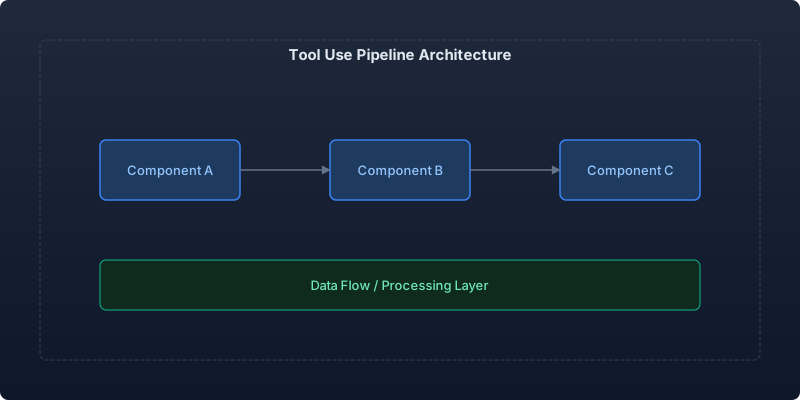
The pipeline has five stages:
- Tool definition — declaring what tools exist and what they do
- Request processing — Claude decides which tool to call
- Validation layer — verify the call is safe and well-formed
- Execution engine — actually run the tool
- Result handling — feed results back and continue the conversation
Stage 1: Precise tool definitions
Tool definitions are contracts. Ambiguous definitions lead to incorrect tool calls. Be exhaustive in your descriptions and parameter constraints:
import anthropic
from typing import Any

TOOLS: list[dict[str, Any]] = [
    {
        "name": "query_orders",
        "description": (
            "Search customer orders by various criteria. Returns up to 50 "
            "orders matching the filters. Use this when the user asks about "
            "order status, order history, or specific order details. "
            "Do NOT use this for product searches or inventory queries."
        ),
        "input_schema": {
            "type": "object",
            "properties": {
                "customer_id": {
                    "type": "string",
                    "description": "The customer's unique identifier (format: cust_xxxxx)",
                    "pattern": "^cust_[a-z0-9]{10,20}$",
                },
                "status": {
                    "type": "string",
                    "enum": ["pending", "processing", "shipped", "delivered", "cancelled"],
                    "description": "Filter by order status",
                },
                "date_from": {
                    "type": "string",
                    "format": "date",
                    "description": "Start date for date range filter (ISO 8601)",
                },
                "date_to": {
                    "type": "string",
                    "format": "date",
                    "description": "End date for date range filter (ISO 8601)",
                },
                "limit": {
                    "type": "integer",
                    "minimum": 1,
                    "maximum": 50,
                    "default": 10,
                    "description": "Maximum number of results to return",
                },
            },
            "required": ["customer_id"],
        },
    },
    {
        "name": "update_order_status",
        "description": (
            "Update the status of a specific order. This is a WRITE operation "
            "that modifies data. Only use when the user explicitly requests a "
            "status change and confirms the action."
        ),
        "input_schema": {
            "type": "object",
            "properties": {
                "order_id": {
                    "type": "string",
                    "pattern": "^ord_[a-z0-9]{12}$",
                },
                "new_status": {
                    "type": "string",
                    "enum": ["processing", "shipped", "cancelled"],
                },
                "reason": {
                    "type": "string",
                    "maxLength": 500,
                    "description": "Reason for the status change (required for cancellations)",
                },
            },
            "required": ["order_id", "new_status"],
        },
    },
]
Stage 2: The tool execution loop
Claude's tool use works as a conversation loop: Claude requests a tool call, you execute it, send the result back, and Claude continues. Here's the full loop with proper error handling:
import Anthropic from "@anthropic-ai/sdk";

interface ToolResult {
  success: boolean;
  data?: unknown;
  error?: string;
}

type ToolHandler = (input: Record<string, unknown>) => Promise<ToolResult>;

class ToolExecutionPipeline {
  private client: Anthropic;
  private handlers: Map<string, ToolHandler>;
  private maxIterations = 10; // Prevent infinite loops

  constructor(client: Anthropic, handlers: Map<string, ToolHandler>) {
    this.client = client;
    this.handlers = handlers;
  }

  async execute(
    systemPrompt: string,
    userMessage: string,
    tools: Anthropic.Tool[]
  ): Promise<string> {
    const messages: Anthropic.MessageParam[] = [
      { role: "user", content: userMessage },
    ];

    for (let i = 0; i < this.maxIterations; i++) {
      const response = await this.client.messages.create({
        model: "claude-sonnet-4-20250514",
        max_tokens: 4096,
        system: systemPrompt,
        tools,
        messages,
      });

      // If Claude is done (no more tool calls), return the text
      if (response.stop_reason === "end_turn") {
        return this.extractText(response);
      }

      // Process tool calls
      const toolUseBlocks = response.content.filter(
        (block) => block.type === "tool_use"
      );

      if (toolUseBlocks.length === 0) {
        return this.extractText(response);
      }

      // Add assistant response to conversation
      messages.push({ role: "assistant", content: response.content });

      // Execute each tool call and collect results
      const toolResults: Anthropic.ToolResultBlockParam[] = [];

      for (const toolUse of toolUseBlocks) {
        if (toolUse.type !== "tool_use") continue;

        const result = await this.executeTool(
          toolUse.name,
          toolUse.input as Record<string, unknown>
        );

        toolResults.push({
          type: "tool_result",
          tool_use_id: toolUse.id,
          content: JSON.stringify(result),
          is_error: !result.success,
        });
      }

      messages.push({ role: "user", content: toolResults });
    }

    throw new Error("Tool execution exceeded maximum iterations");
  }

  private async executeTool(
    name: string,
    input: Record<string, unknown>
  ): Promise<ToolResult> {
    const handler = this.handlers.get(name);
    if (!handler) {
      return { success: false, error: `Unknown tool: ${name}` };
    }

    try {
      // Validate input before execution
      const validation = this.validateInput(name, input);
      if (!validation.valid) {
        return { success: false, error: validation.error };
      }

      return await handler(input);
    } catch (error: any) {
      return { success: false, error: `Execution failed: ${error.message}` };
    }
  }

  private validateInput(
    name: string,
    input: Record<string, unknown>
  ): { valid: boolean; error?: string } {
    // Implement schema validation here (e.g., with Zod or Ajv)
    // Reject any input that doesn't match the declared schema
    return { valid: true };
  }

  private extractText(response: Anthropic.Message): string {
    return response.content
      .filter((block) => block.type === "text")
      .map((block) => (block.type === "text" ? block.text : ""))
      .join("");
  }
}
Stage 3: The permission layer
Not all tool calls should be executed automatically. Classify tools by risk level:
- Read-only (query data) — execute immediately
- Write with undo (update status, add record) — execute with audit log
- Destructive (delete, send email, charge money) — require confirmation
from enum import Enum

class ToolRiskLevel(Enum):
    READ = "read"           # Always auto-execute
    WRITE = "write"         # Execute with audit trail
    DESTRUCTIVE = "destructive"  # Require human confirmation

TOOL_RISK_MAP = {
    "query_orders": ToolRiskLevel.READ,
    "update_order_status": ToolRiskLevel.WRITE,
    "cancel_order": ToolRiskLevel.DESTRUCTIVE,
    "issue_refund": ToolRiskLevel.DESTRUCTIVE,
}
Production metrics
After deploying tool use across our customer service system:
| Metric | Value |
|---|---|
| Tool calls per conversation (avg) | 2.3 |
| Tool call success rate | 97.8% |
| Avg tool execution latency | 120ms |
| Conversations requiring human escalation | 12% (down from 45%) |
| False tool invocations (called wrong tool) | 1.4% |
Key takeaways
- Tool definitions are your primary control surface. Invest in precise, unambiguous descriptions. The model can only be as good as the contract you give it.
- Always validate before executing. The model can produce syntactically valid but semantically wrong inputs — catch them.
- Classify tools by risk. Automate the safe ones, gate the dangerous ones.
- Set iteration limits. Without them, a confused model can loop forever calling tools that don't help.
- Log everything. Every tool call, every input, every result. You'll need it for debugging and for training your team on how the model behaves.
Tool use is where Claude transitions from assistant to agent. Build the pipeline to be as robust as any other production system with side effects.
Recommended reading
The State of Agentic AI in 2026: Capabilities, Limitations, and Production Readiness
Comprehensive analysis of agentic AI in 2026 covering production capabilities, current limitations, and enterprise readiness benchmarks with real deployment data.
Observability for AI Agents: Tracing Multi-Step Reasoning Chains in Production
How to implement production observability for AI agents including distributed tracing, reasoning chain analysis, and debugging multi-step failures.
Measuring and Reducing AI Workload Carbon Emissions: A Practical Engineering Guide
Building a carbon-aware scheduling system for ML training and inference workloads that reduced our AI infrastructure emissions by 42% while maintaining SLA commitments.



Comments
No comments yet. Be the first to share your thoughts.