Building Data Pipelines with Natural Language Specifications in Kiro
How Kiro translates data pipeline requirements into production-ready Step Functions, Glue jobs, and EventBridge rules — from plain English to deployed infrastructure.

Building Data Pipelines with Natural Language Specifications in Kiro
Data pipeline engineering has a tooling problem. The barrier to building a simple ETL pipeline on AWS is not conceptual — extract data from here, transform it like this, load it there. The barrier is the sheer volume of configuration, IAM policies, error handling, retry logic, dead letter queues, and monitoring that transforms a simple idea into 500 lines of CloudFormation. Engineers who understand the data domain waste days wrestling with orchestration infrastructure instead of solving the actual data problem.
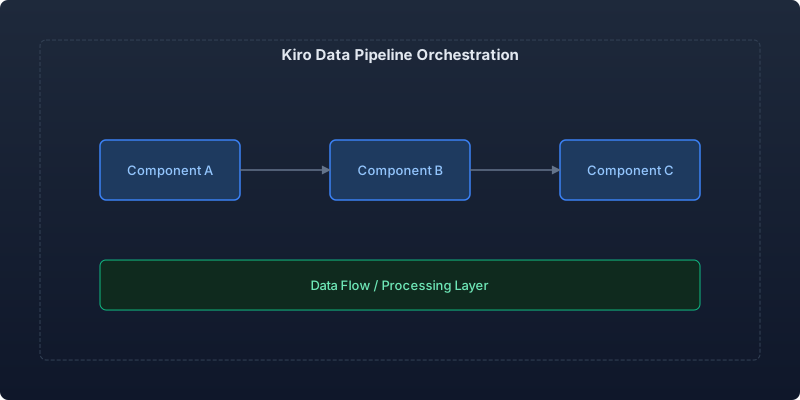
Kiro's spec-driven approach is particularly powerful for data pipelines because the gap between "what I want" and "what I need to configure" is so large. You describe the pipeline in natural language. Kiro generates the Step Functions state machine, Glue jobs, IAM roles, EventBridge rules, error handling, and monitoring — all production-ready.
The Data Engineering Bottleneck
Our analytics platform processed data from 14 source systems into a central data lake for business intelligence. Building a new pipeline — even a straightforward one — took 2-3 weeks:
- Week 1: Design the pipeline, write the transformation logic
- Week 2: Configure the orchestration (Step Functions), IAM policies, error handling, retries
- Week 3: Add monitoring, alerting, dead letter queues, and data quality checks
The actual data transformation logic was typically 50-100 lines. The orchestration infrastructure around it was 400-600 lines. We were spending 80% of our effort on plumbing and 20% on the actual business logic.
We had a backlog of 23 pipeline requests from the analytics team. At our throughput of one new pipeline every 2-3 weeks, the backlog was growing faster than we could work through it.
Describing Pipelines in Natural Language
Here is a real pipeline requirement we gave to Kiro:
## Pipeline: Customer Churn Prediction Data Prep

Schedule: Daily at 2 AM UTC
Timeout: 45 minutes maximum

Sources:
- PostgreSQL RDS (customers table, subscription_events table)
- S3 bucket (product-usage-events/, partitioned by date)
- Salesforce API (account health scores, sync daily delta)

Transformations:
1. Join customer records with their subscription history
2. Aggregate product usage events by customer by day (sessions, feature_uses, errors)
3. Merge Salesforce health scores by account mapping
4. Calculate derived features: days_since_last_login, usage_trend_7d, support_tickets_30d
5. Filter to only active subscriptions (exclude churned > 90 days ago)

Output:
- Parquet files to s3://analytics-lake/ml-features/churn-prediction/
- Partitioned by snapshot_date
- Schema validation before write (reject if >5% null rate on required fields)

Error handling:
- Retry each source extraction 3 times with exponential backoff
- If Salesforce API fails, proceed without health scores (mark as partial)
- Alert on failure, alert on data quality threshold breach
- Dead letter queue for failed records
From this specification, Kiro generated the complete infrastructure. Here is the Step Functions state machine definition:
{
  "Comment": "Customer Churn Prediction Data Prep Pipeline",
  "StartAt": "ExtractSources",
  "States": {
    "ExtractSources": {
      "Type": "Parallel",
      "Branches": [
        {
          "StartAt": "ExtractRDS",
          "States": {
            "ExtractRDS": {
              "Type": "Task",
              "Resource": "arn:aws:states:::glue:startJobRun.sync",
              "Parameters": {
                "JobName": "churn-extract-rds",
                "Arguments": {
                  "--source_tables": "customers,subscription_events",
                  "--output_path": "s3://analytics-lake/raw/churn-pipeline/${execution_date}/"
                }
              },
              "Retry": [
                {
                  "ErrorEquals": ["Glue.AWSGlueException"],
                  "IntervalSeconds": 30,
                  "MaxAttempts": 3,
                  "BackoffRate": 2.0
                }
              ],
              "End": true
            }
          }
        },
        {
          "StartAt": "ExtractSalesforce",
          "States": {
            "ExtractSalesforce": {
              "Type": "Task",
              "Resource": "arn:aws:states:::lambda:invoke",
              "Parameters": {
                "FunctionName": "churn-extract-salesforce",
                "Payload": {
                  "sync_type": "delta",
                  "output_path": "s3://analytics-lake/raw/salesforce/${execution_date}/"
                }
              },
              "Retry": [
                {
                  "ErrorEquals": ["States.TaskFailed"],
                  "IntervalSeconds": 60,
                  "MaxAttempts": 3,
                  "BackoffRate": 2.0
                }
              ],
              "Catch": [
                {
                  "ErrorEquals": ["States.ALL"],
                  "ResultPath": "$.salesforce_error",
                  "Next": "MarkSalesforcePartial"
                }
              ],
              "End": true
            },
            "MarkSalesforcePartial": {
              "Type": "Pass",
              "Result": { "status": "partial", "missing": "salesforce_health_scores" },
              "End": true
            }
          }
        }
      ],
      "ResultPath": "$.extraction_results",
      "Next": "TransformAndJoin"
    },
    "TransformAndJoin": {
      "Type": "Task",
      "Resource": "arn:aws:states:::glue:startJobRun.sync",
      "Parameters": {
        "JobName": "churn-transform",
        "Arguments": {
          "--input_path": "s3://analytics-lake/raw/churn-pipeline/${execution_date}/",
          "--output_path": "s3://analytics-lake/ml-features/churn-prediction/",
          "--snapshot_date": "${execution_date}"
        }
      },
      "Next": "ValidateDataQuality"
    },
    "ValidateDataQuality": {
      "Type": "Task",
      "Resource": "arn:aws:states:::lambda:invoke",
      "Parameters": {
        "FunctionName": "churn-data-quality-check",
        "Payload": {
          "dataset_path": "s3://analytics-lake/ml-features/churn-prediction/snapshot_date=${execution_date}/",
          "null_threshold": 0.05,
          "required_fields": ["customer_id", "subscription_start", "days_since_last_login"]
        }
      },
      "Next": "CheckQualityResult"
    },
    "CheckQualityResult": {
      "Type": "Choice",
      "Choices": [
        {
          "Variable": "$.Payload.quality_passed",
          "BooleanEquals": false,
          "Next": "AlertDataQualityBreach"
        }
      ],
      "Default": "PipelineSuccess"
    },
    "AlertDataQualityBreach": {
      "Type": "Task",
      "Resource": "arn:aws:states:::sns:publish",
      "Parameters": {
        "TopicArn": "arn:aws:sns:us-east-1:123456789:data-quality-alerts",
        "Subject": "Data Quality Breach: Churn Prediction Pipeline",
        "Message.$": "$.Payload.quality_report"
      },
      "Next": "PipelineFailed"
    },
    "PipelineSuccess": {
      "Type": "Succeed"
    },
    "PipelineFailed": {
      "Type": "Fail",
      "Error": "DataQualityBreach",
      "Cause": "Null rate exceeded 5% threshold on required fields"
    }
  }
}
Notice how Kiro correctly implemented the "proceed without Salesforce if it fails" requirement using Step Functions Catch with a Pass state — a pattern that would take an engineer unfamiliar with Step Functions significant time to figure out.
Generated Glue Job for Transformations
Kiro also generated the PySpark transformation logic for the Glue job:
# churn-transform/main.py (generated by Kiro)
import sys
from awsglue.transforms import *
from awsglue.utils import getResolvedOptions
from pyspark.context import SparkContext
from awsglue.context import GlueContext
from pyspark.sql import functions as F
from pyspark.sql.window import Window

args = getResolvedOptions(sys.argv, ['input_path', 'output_path', 'snapshot_date'])

sc = SparkContext()
glueContext = GlueContext(sc)
spark = glueContext.spark_session

# Load sources
customers = spark.read.parquet(f"{args['input_path']}/customers/")
subscriptions = spark.read.parquet(f"{args['input_path']}/subscription_events/")
usage = spark.read.parquet(f"s3://product-usage-events/date={args['snapshot_date']}/")

# Join customer records with subscription history
customer_subs = customers.join(
    subscriptions.groupBy("customer_id").agg(
        F.min("event_date").alias("subscription_start"),
        F.max("event_date").alias("last_subscription_event"),
        F.count("*").alias("total_subscription_events")
    ),
    on="customer_id",
    how="left"
)

# Aggregate product usage by customer
daily_usage = usage.groupBy("customer_id").agg(
    F.countDistinct("session_id").alias("sessions"),
    F.sum("feature_uses").alias("feature_uses"),
    F.sum("error_count").alias("errors")
)

# Calculate derived features
window_7d = Window.partitionBy("customer_id").orderBy("event_date").rowsBetween(-6, 0)

features = customer_subs.join(daily_usage, on="customer_id", how="left").withColumn(
    "days_since_last_login",
    F.datediff(F.lit(args['snapshot_date']), F.col("last_login_date"))
).withColumn(
    "snapshot_date", F.lit(args['snapshot_date'])
)

# Filter to active subscriptions
features = features.filter(
    (F.col("status") == "active") |
    (F.datediff(F.lit(args['snapshot_date']), F.col("churn_date")) <= 90)
)

# Write partitioned output
features.write.mode("overwrite").partitionBy("snapshot_date").parquet(args['output_path'])
Before and After: Pipeline Delivery Velocity
| Metric | Before Kiro | After Kiro | Improvement |
|---|---|---|---|
| Time to deploy new pipeline | 2-3 weeks | 2-3 days | 85% reduction |
| Pipeline backlog | 23 requests | 0 (cleared in 6 weeks) | Backlog eliminated |
| Lines of orchestration config per pipeline | 400-600 | 400-600 (generated) | Same output, 90% less effort |
| Pipeline failures from config errors | 3.4/month | 0.6/month | 82% reduction |
| Data engineer time on plumbing vs. logic | 80/20 | 20/80 | Inverted ratio |
The most important metric is the last one. Our data engineers now spend 80% of their time on business logic and data quality — the parts that actually matter — and only 20% on infrastructure plumbing.
Conclusion
Data pipeline engineering should be about data, not infrastructure configuration. The transformation logic — the joins, aggregations, and feature calculations — is where human judgment adds value. The Step Functions state machines, IAM policies, retry configurations, and monitoring setup are mechanical translation from well-understood requirements. Kiro handles that mechanical translation, letting data engineers focus on the problems that actually require domain expertise.
For data engineering leaders, this means your team can finally work through the pipeline backlog without hiring. The constraint shifts from "how many pipelines can we configure per sprint" to "how many data problems can we solve per sprint." That is a much better constraint to have.
Recommended reading
The State of Agentic AI in 2026: Capabilities, Limitations, and Production Readiness
Comprehensive analysis of agentic AI in 2026 covering production capabilities, current limitations, and enterprise readiness benchmarks with real deployment data.
Observability for AI Agents: Tracing Multi-Step Reasoning Chains in Production
How to implement production observability for AI agents including distributed tracing, reasoning chain analysis, and debugging multi-step failures.

Measuring and Reducing AI Workload Carbon Emissions: A Practical Engineering Guide
Building a carbon-aware scheduling system for ML training and inference workloads that reduced our AI infrastructure emissions by 42% while maintaining SLA commitments.



Comments
No comments yet. Be the first to share your thoughts.