Scaling Your Database Through Growing Pains
A practical guide to navigating database scaling challenges as your startup grows from hundreds to millions of users without costly rewrites

Database scaling is the most common technical crisis in growing startups. You start with a single PostgreSQL instance that handles everything beautifully at 100 users. Then at 10,000 users, queries slow down. At 100,000 users, your database CPU pegs at 95% during peak hours. At a million users, you face a choice: throw money at bigger hardware or redesign your data architecture.
I have navigated this journey multiple times. The key insight is that database scaling is not a single decision — it is a sequence of interventions, each buying you time until the next growth threshold. The companies that handle it well plan ahead. The ones that struggle wait until everything is on fire.
The Scaling Journey
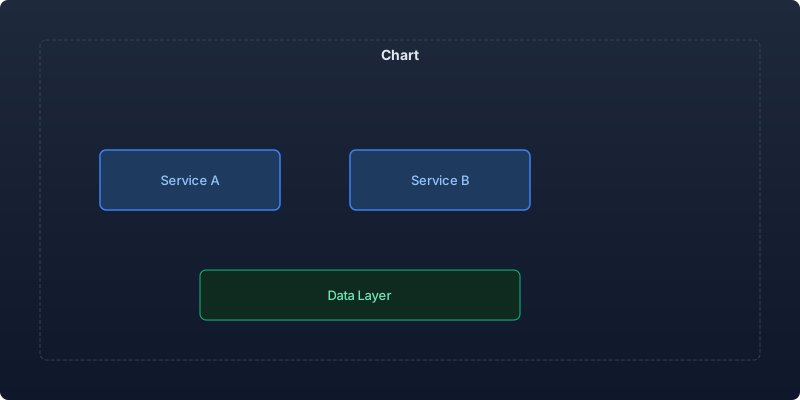
Every startup database goes through predictable phases:
| Phase | Users | DB Load | Typical Problem | Solution Category |
|---|---|---|---|---|
| 1. Single instance | 0-10K | Low | None | Enjoy the simplicity |
| 2. Query optimization | 10K-50K | Medium | Slow queries | Indexing, query tuning |
| 3. Read scaling | 50K-200K | High | Read contention | Read replicas, caching |
| 4. Write scaling | 200K-1M | Very High | Write bottlenecks | Partitioning, queue-based writes |
| 5. Architectural scaling | 1M+ | Critical | Fundamental limits | Sharding, polyglot persistence |
Phase 2: Query Optimization (First Wins)
Before adding infrastructure, optimize what you have. This phase typically buys you 3-6 months of headroom:
Index Strategy
The most impactful optimization is proper indexing. Most seed-stage databases are dramatically under-indexed:
- Identify slow queries. Enable
pg_stat_statementsand monitor queries exceeding 100ms - Add composite indexes. For queries filtering on multiple columns, composite indexes outperform multiple single-column indexes
- Cover your queries. Include columns in indexes that satisfy common SELECT lists (covering indexes)
- Remove unused indexes. Each index slows writes. Monitor
pg_stat_user_indexesfor indexes with zero scans
Query Pattern Fixes
| Anti-Pattern | Problem | Fix |
|---|---|---|
| SELECT * | Fetches unnecessary data | Select only needed columns |
| N+1 queries | Database round trips per item | Eager loading, batch queries |
| Missing LIMIT | Full table scans on lists | Always paginate |
| Unfiltered JOINs | Cartesian products | Add WHERE clauses, verify join conditions |
| Functions in WHERE | Prevents index usage | Precompute or use expression indexes |
Connection Management
Connection exhaustion is a common early scaling problem. Solutions:
- Use connection pooling (PgBouncer for PostgreSQL)
- Set appropriate pool sizes per service
- Implement connection timeout and retry logic
- Monitor active connections versus pool capacity
Phase 3: Read Scaling
When query optimization reaches its limits, separate read and write traffic:
Read Replicas
Add asynchronous read replicas for read-heavy workloads:
- Route reporting and analytics queries to replicas
- Route dashboard and list views to replicas
- Keep writes and consistency-critical reads on the primary
- Monitor replication lag and handle stale reads gracefully
Caching Layers
Implement caching strategically:
| Cache Level | What to Cache | TTL Strategy | Invalidation |
|---|---|---|---|
| Application | Computed values, API responses | 1-60 minutes | Write-through |
| Query result | Expensive query results | 5-30 minutes | Time-based or event-based |
| Object | Frequently accessed entities | 1-24 hours | Write-through |
| CDN/Edge | Static content, public API responses | 1-24 hours | Purge on deploy |
Cache invalidation rules:
- Start with time-based expiration (simple, predictable)
- Add event-based invalidation only for data where staleness is user-visible
- Never cache user-specific data in shared caches without proper isolation
- Monitor cache hit rates — anything below 80% needs investigation
Materialized Views
For complex aggregations and dashboards, materialized views trade write-time computation for read-time speed:
- Create materialized views for dashboard metrics
- Refresh on a schedule matching your staleness tolerance
- Index materialized views like regular tables
- Monitor refresh times as data volume grows
Phase 4: Write Scaling
Write scaling is harder than read scaling because you cannot simply add replicas. Strategies:
Table Partitioning
Partition large tables by time or tenant:
- Time-based partitioning for event/log tables — enables fast range queries and efficient archival
- Tenant-based partitioning for multi-tenant SaaS — enables per-tenant performance isolation
- Hash partitioning for even distribution across partitions
Write Buffering
Decouple writes from user requests:
- Queue non-critical writes (analytics events, audit logs) through message queues
- Batch bulk operations during off-peak hours
- Implement write-ahead patterns for eventual consistency where acceptable
Schema Design for Write Performance
| Design Choice | Write Impact | Trade-off |
|---|---|---|
| Fewer indexes | Faster writes | Slower reads on unindexed columns |
| Append-only tables | Very fast inserts | Complex updates/deletes |
| JSONB for flexible data | Faster writes (no ALTER TABLE) | Slower queries on nested fields |
| Denormalization | Fewer writes per transaction | Data consistency complexity |
Phase 5: Architectural Scaling
When single-database optimizations reach their limits:
Horizontal Sharding
Distribute data across multiple database instances:
- Tenant-based sharding — Each tenant's data lives on a specific shard. Simple routing, tenant-isolated performance.
- Hash-based sharding — Distribute rows across shards by hashing a key. Even distribution, complex cross-shard queries.
- Geography-based sharding — Data lives close to users. Good for latency, complex for global queries.
Polyglot Persistence
Use different databases for different access patterns:
| Access Pattern | Optimal Database | Example Use Case |
|---|---|---|
| Relational/transactional | PostgreSQL | User accounts, billing |
| High-write event streams | ClickHouse, TimescaleDB | Analytics, audit logs |
| Full-text search | Elasticsearch, Meilisearch | Product search, content |
| Key-value/session | Redis, DragonflyDB | Caching, sessions, real-time |
| Document/flexible schema | MongoDB | Content management, configs |
| Graph relationships | Neo4j | Social graphs, recommendations |
Decision Framework: When to Act
Do not scale preemptively. Scale when metrics indicate necessity:
| Metric | Investigate | Act Now | Emergency |
|---|---|---|---|
| Query p95 latency | > 200ms | > 500ms | > 2000ms |
| CPU utilization | > 60% sustained | > 80% sustained | > 90% sustained |
| Connection pool usage | > 60% | > 80% | > 95% |
| Disk IOPS | > 60% of provisioned | > 80% of provisioned | Hitting limits |
| Replication lag | > 1 second | > 5 seconds | > 30 seconds |
Common Mistakes
Sharding too early. Sharding adds enormous complexity. Most startups never need it. Exhaust vertical scaling, read replicas, and caching first.
Ignoring query patterns. Adding hardware without understanding why queries are slow wastes money. Profile before you scale.
Caching everything. Caching without invalidation strategy creates subtle, hard-to-debug data consistency issues. Cache deliberately.
Choosing the wrong database for growth. If you started with a database that does not support read replicas or partitioning, migration becomes mandatory rather than optional.
Key Takeaways
- Database scaling is a sequence of interventions, not a single architectural decision — each phase buys time until the next growth threshold
- Start with query optimization and indexing before adding infrastructure — this alone typically provides 3-6 months of headroom
- Separate read and write traffic using read replicas and strategic caching before considering more complex approaches
- Implement caching with explicit invalidation strategies — time-based first, event-based only where staleness is user-visible
- Scale based on metrics (p95 latency, CPU utilization, connection pool usage), not predictions or anxiety
- Sharding is a last resort for most startups — exhaust vertical scaling, replicas, partitioning, and caching first
- Document your scaling decisions and thresholds so future engineers understand not just what was done but why
Database scaling is not a problem you solve once. It is a continuous practice of monitoring, anticipating, and intervening at the right time. The companies that do this well build monitoring before they need it, plan interventions before they are urgent, and document decisions so the next engineer can continue the journey.
Recommended reading

Why the Gulf Will Produce the Next Wave of Logistics Tech Unicorns
Capital, demographics, infrastructure, and regulation are converging in the GCC. A thesis from inside a Qatari delivery platform doing 16M orders a year.
Post-Acquisition Technical Integration Playbook
How CTOs navigate the technical integration process after an acquisition, from day-one decisions through full platform consolidation
Landing Your First Enterprise Customer as a Startup: The Technical Credibility Playbook
A tactical guide for startup CTOs navigating enterprise sales cycles, from security questionnaires to architecture reviews, with timelines and preparation checklists.



Comments
No comments yet. Be the first to share your thoughts.