GCP VPC Service Controls for Data Exfiltration Prevention
Implementing VPC Service Controls to create security perimeters that prevent data exfiltration from Google Cloud services even with valid credentials

Introduction
VPC Service Controls (VPC-SC) is Google Cloud's data exfiltration prevention mechanism. It creates security perimeters around GCP resources that prevent data from leaving the perimeter, even when API calls come from authenticated principals with valid IAM permissions. This addresses the fundamental limitation of IAM: once someone has read access to data, nothing prevents them from copying it to an external project.
In practice, VPC-SC reduces the blast radius of compromised credentials by 95% in environments where data exfiltration is the primary threat. This article covers perimeter design, access level configuration, and operational patterns for production deployments.
Why IAM Alone Is Insufficient
| Threat Scenario | IAM Prevention | VPC-SC Prevention |
|---|---|---|
| Copy BigQuery data to external project | No | Yes |
| Export Cloud Storage bucket to personal account | No | Yes |
| Stream Pub/Sub messages to external subscription | No | Yes |
| Read Spanner data via compromised service account | No (if granted) | Yes |
| Access APIs from outside corporate network | No | Yes |
| Insider threat with legitimate access | No | Yes |
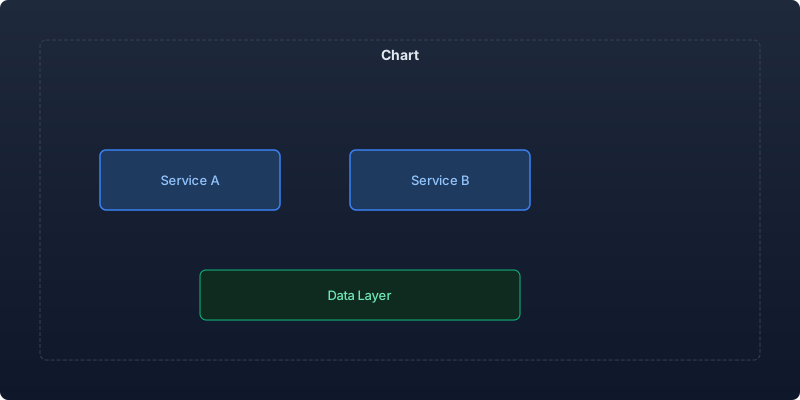
Perimeter Architecture
Single Perimeter (Simple)
# Create access policy (organization-level)
gcloud access-context-manager policies create \
  --organization=123456789 \
  --title="Production Security Policy"

# Create service perimeter
gcloud access-context-manager perimeters create production-perimeter \
  --title="Production Data Perimeter" \
  --resources="projects/111111111111,projects/222222222222,projects/333333333333" \
  --restricted-services="bigquery.googleapis.com,storage.googleapis.com,spanner.googleapis.com,pubsub.googleapis.com" \
  --policy=POLICY_ID
Multi-Perimeter with Bridges
For organizations with multiple data classifications:
# Data lake perimeter
gcloud access-context-manager perimeters create data-lake \
  --title="Data Lake Perimeter" \
  --resources="projects/data-lake-prod,projects/data-lake-staging" \
  --restricted-services="bigquery.googleapis.com,storage.googleapis.com,dataflow.googleapis.com"

# Analytics perimeter
gcloud access-context-manager perimeters create analytics \
  --title="Analytics Perimeter" \
  --resources="projects/analytics-prod,projects/ml-prod" \
  --restricted-services="bigquery.googleapis.com,aiplatform.googleapis.com"

# Bridge: Allow analytics to read from data lake
gcloud access-context-manager perimeters create data-analytics-bridge \
  --perimeter-type=bridge \
  --resources="projects/data-lake-prod,projects/analytics-prod" \
  --title="Data Lake to Analytics Bridge"
Terraform Implementation
resource "google_access_context_manager_service_perimeter" "production" {
  parent = "accessPolicies/${var.access_policy_id}"
  name   = "accessPolicies/${var.access_policy_id}/servicePerimeters/production"
  title  = "Production Data Perimeter"

  status {
    resources = [
      "projects/${var.data_project_number}",
      "projects/${var.api_project_number}",
      "projects/${var.ml_project_number}"
    ]

    restricted_services = [
      "bigquery.googleapis.com",
      "storage.googleapis.com",
      "spanner.googleapis.com",
      "pubsub.googleapis.com",
      "dataflow.googleapis.com",
      "aiplatform.googleapis.com",
      "cloudfunctions.googleapis.com",
      "run.googleapis.com"
    ]

    # Allow access from corporate network
    access_levels = [
      google_access_context_manager_access_level.corporate_network.name
    ]

    # Ingress: Allow CI/CD from specific project
    ingress_policies {
      ingress_from {
        identity_type = "ANY_SERVICE_ACCOUNT"
        sources {
          resource = "projects/${var.cicd_project_number}"
        }
      }
      ingress_to {
        resources = ["projects/${var.api_project_number}"]
        operations {
          service_name = "run.googleapis.com"
          method_selectors {
            method = "google.cloud.run.v2.Services.ReplaceService"
          }
        }
      }
    }

    # Egress: Allow exporting to specific backup bucket
    egress_policies {
      egress_from {
        identity_type = "ANY_SERVICE_ACCOUNT"
      }
      egress_to {
        resources = ["projects/${var.backup_project_number}"]
        operations {
          service_name = "storage.googleapis.com"
          method_selectors {
            method = "google.storage.objects.create"
          }
        }
      }
    }
  }
}
Access Levels
Access levels define conditions under which requests can cross the perimeter:
# Corporate network access level
resource "google_access_context_manager_access_level" "corporate_network" {
  parent = "accessPolicies/${var.access_policy_id}"
  name   = "accessPolicies/${var.access_policy_id}/accessLevels/corporate_network"
  title  = "Corporate Network"

  basic {
    conditions {
      ip_subnetworks = [
        "203.0.113.0/24",    # Office IP range
        "198.51.100.0/24"    # VPN IP range
      ]
      required_access_levels = []
    }
  }
}

# Device trust access level (BeyondCorp)
resource "google_access_context_manager_access_level" "trusted_device" {
  parent = "accessPolicies/${var.access_policy_id}"
  name   = "accessPolicies/${var.access_policy_id}/accessLevels/trusted_device"
  title  = "Trusted Managed Device"

  basic {
    conditions {
      device_policy {
        require_screen_lock    = true
        require_admin_approval = true
        allowed_encryption_statuses = ["ENCRYPTED"]
        allowed_device_management_levels = ["COMPLETE"]
        os_constraints {
          os_type                    = "DESKTOP_CHROME_OS"
          minimum_version            = "latest-1"
          require_verified_chrome_os = true
        }
      }
    }
  }
}

# Combined: corporate network AND trusted device
resource "google_access_context_manager_access_level" "high_security" {
  parent = "accessPolicies/${var.access_policy_id}"
  name   = "accessPolicies/${var.access_policy_id}/accessLevels/high_security"
  title  = "High Security Access"

  basic {
    combining_function = "AND"
    conditions {
      required_access_levels = [
        google_access_context_manager_access_level.corporate_network.name,
        google_access_context_manager_access_level.trusted_device.name
      ]
    }
  }
}
Dry Run Mode
Always test perimeter changes in dry run before enforcing:
# Create perimeter in dry run mode
gcloud access-context-manager perimeters dry-run create production-test \
  --resources="projects/111111111111,projects/222222222222" \
  --restricted-services="bigquery.googleapis.com,storage.googleapis.com" \
  --policy=POLICY_ID

# Monitor violations in dry run (no enforcement)
gcloud logging read \
  'protoPayload.metadata.@type="type.googleapis.com/google.cloud.audit.v1.VpcServiceControlAuditMetadata" AND
   protoPayload.metadata.dryRun=true AND
   protoPayload.metadata.violationReason!=""' \
  --project=my-project \
  --limit=50 \
  --format="table(timestamp, protoPayload.metadata.violationReason, protoPayload.methodName)"
Dry Run Violation Analysis
| Violation Reason | Action Required | Risk of Enforcement |
|---|---|---|
| RESOURCES_NOT_IN_SAME_SERVICE_PERIMETER | Add project to perimeter or create bridge | High - breaks cross-project access |
| ACCESS_LEVEL_NOT_SATISFIED | Add access level or expand IP ranges | Medium - blocks developer access |
| SERVICE_NOT_ALLOWED_IN_PERIMETER | Add service to restricted list | Low - just needs configuration |
| NO_MATCHING_ACCESS_LEVEL | Configure appropriate access level | High - blocks legitimate use |
Monitoring and Troubleshooting
VPC-SC Violation Logs
# Find all VPC-SC violations
gcloud logging read \
  'protoPayload.metadata.@type="type.googleapis.com/google.cloud.audit.v1.VpcServiceControlAuditMetadata" AND
   protoPayload.metadata.violationReason!=""' \
  --project=my-project \
  --limit=100 \
  --format=json

# Aggregate violations by source
gcloud logging read \
  'protoPayload.metadata.violationReason!=""' \
  --project=my-project \
  --format="table(
    protoPayload.metadata.violationReason,
    protoPayload.authenticationInfo.principalEmail,
    protoPayload.methodName,
    protoPayload.metadata.resourceNames)"
Alert on Suspicious Violation Patterns
# Create alert for repeated violation attempts (potential exfiltration)
gcloud alpha monitoring policies create \
  --display-name="VPC-SC Repeated Violations" \
  --condition-display-name="High violation rate" \
  --condition-filter='metric.type="serviceruntime.googleapis.com/api/request_count" AND resource.type="consumed_api" AND metric.labels.response_code="403"' \
  --condition-threshold-value=50 \
  --condition-threshold-comparison=COMPARISON_GT \
  --duration=300s \
  --notification-channels="projects/my-project/notificationChannels/123"
Common Implementation Challenges
| Challenge | Solution | Impact |
|---|---|---|
| Cloud Console access blocked | Add console IP ranges to access level | Developers locked out |
| CI/CD pipelines fail | Create ingress rules for CI/CD service accounts | Deployment failures |
| Cross-project joins in BigQuery | Create perimeter bridges or add projects | Analytics broken |
| Third-party SaaS integrations | Egress rules for specific services | Integration failures |
| GKE pulling images from external registry | Ingress rule for container registry access | Pod scheduling failures |
Key Takeaways
- VPC Service Controls prevent data exfiltration that IAM cannot by restricting data movement even when credentials are valid and permissions are granted.
- Always use dry run mode first for 2-4 weeks to identify all legitimate cross-perimeter traffic before enforcing the perimeter.
- Design perimeters around data classification rather than teams, with bridges connecting perimeters that need controlled data flow.
- Access levels should combine network and device trust for defense-in-depth, requiring both corporate network access and managed devices.
- Configure ingress rules for CI/CD pipelines before enforcement to prevent deployment failures that require emergency perimeter changes.
- Monitor violation logs as a security signal since repeated violations from the same identity may indicate exfiltration attempts or compromised credentials.
- Plan for third-party integrations by documenting all external services that access perimeter-protected resources and creating specific egress policies.
Recommended reading

Per-Team Cost Allocation in Shared Kubernetes Clusters: From Chaos to Clarity
Implementing accurate per-namespace cost allocation in multi-tenant Kubernetes clusters, covering request vs. usage attribution, shared resource amortization, and building showback dashboards that drive accountability.

Measuring and Eliminating Toil: From 40% to 12% of Engineering Time
A systematic approach to identifying, measuring, and automating toil—the repetitive operational work that scales linearly with service growth and prevents engineers from doing creative work.

Serverless Postgres in Production: Branching, Scale-to-Zero, and the End of Database Provisioning
Running Neon serverless Postgres in production for 8 months — covering database branching workflows, scale-to-zero economics, connection pooling, and migration from RDS.



Comments
No comments yet. Be the first to share your thoughts.