Immutable Infrastructure: Building an AMI Pipeline with Golden Image Validation
Designing an AMI-based deployment pipeline with automated validation, security scanning, and golden image promotion that eliminated configuration drift entirely.

Mutable infrastructure — SSH into a server, install packages, edit configs — is the root cause of snowflake servers, unreproducible environments, and "works on my machine" incidents at infrastructure scale. Immutable infrastructure eliminates these problems by treating servers like containers: build once, validate, deploy identically everywhere, and never modify in place.
We migrated 120 EC2-based services from mutable deployments (Ansible + SSH) to an immutable AMI pipeline. Configuration drift dropped to zero. Deployment reliability went from 91% to 99.7%. Here is the architecture.
The Problem: Mutable Infrastructure Decay
Our fleet of 800+ EC2 instances ran services deployed via Ansible playbooks applied to running instances. After 18 months:
- 34% of instances had packages at different versions than the playbook specified
- 12% of instances had manual config file edits not captured in Ansible
- Instance age variance: Some instances were 14 months old; others were hours old — with different accumulated state
- Reproducibility: Launching a new instance from the same playbook produced different results depending on timing and package repository state
- Mean deployment time: 12 minutes per rolling batch (Ansible converge across fleet)
The most dangerous failure mode: an incident response engineer SSH'd into production to apply a fix, creating invisible divergence that broke the next Ansible run.
Architecture: The AMI Pipeline
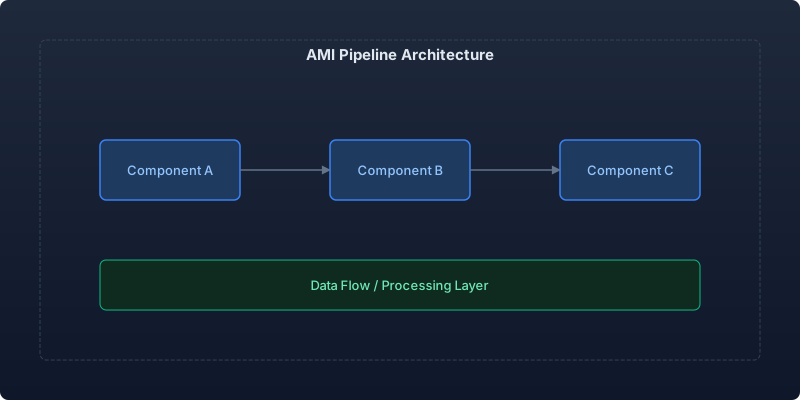
Our pipeline builds, validates, and promotes AMIs through a series of quality gates before production deployment.
Pipeline Stages
- Build: Packer creates the AMI with all dependencies baked in
- Validate: Automated tests run against a temporary instance
- Scan: Security and compliance scanning
- Promote: AMI moves through dev → staging → production accounts
- Deploy: Auto Scaling Groups perform rolling replacement
Packer Build Definition
Every service has a Packer template that produces a self-contained AMI:
# packer/services/api-gateway.pkr.hcl
packer {
  required_plugins {
    amazon = {
      version = ">= 1.3.0"
      source  = "github.com/hashicorp/amazon"
    }
  }
}

variable "app_version" {
  type = string
}

variable "base_ami_id" {
  type        = string
  description = "Golden base AMI from platform team"
}

source "amazon-ebs" "api_gateway" {
  ami_name        = "api-gateway-${var.app_version}-${formatdate("YYYYMMDDHHmmss", timestamp())}"
  instance_type   = "c6i.large"
  region          = "us-east-1"
  source_ami      = var.base_ami_id
  ssh_username    = "ubuntu"
  ami_description = "API Gateway v${var.app_version}"

  ami_block_device_mappings {
    device_name           = "/dev/sda1"
    volume_size           = 30
    volume_type           = "gp3"
    delete_on_termination = true
    encrypted             = true
  }

  tags = {
    Name        = "api-gateway"
    Version     = var.app_version
    BuildTime   = timestamp()
    BaseAMI     = var.base_ami_id
    Pipeline    = "immutable-deploy"
  }

  run_tags = {
    Purpose = "packer-build"
  }
}

build {
  sources = ["source.amazon-ebs.api_gateway"]

  # Install application dependencies
  provisioner "shell" {
    scripts = [
      "scripts/install-runtime.sh",
      "scripts/install-monitoring.sh",
      "scripts/configure-logging.sh",
    ]
  }

  # Deploy application artifact
  provisioner "file" {
    source      = "artifacts/api-gateway-${var.app_version}.tar.gz"
    destination = "/tmp/app.tar.gz"
  }

  provisioner "shell" {
    inline = [
      "sudo mkdir -p /opt/api-gateway",
      "sudo tar -xzf /tmp/app.tar.gz -C /opt/api-gateway",
      "sudo chown -R app:app /opt/api-gateway",
      "rm /tmp/app.tar.gz",
      # Install systemd service
      "sudo cp /opt/api-gateway/config/api-gateway.service /etc/systemd/system/",
      "sudo systemctl daemon-reload",
      "sudo systemctl enable api-gateway",
    ]
  }

  # Harden the image
  provisioner "shell" {
    scripts = [
      "scripts/harden-ssh.sh",
      "scripts/cleanup-build-artifacts.sh",
      "scripts/zero-free-space.sh",
    ]
  }

  post-processor "manifest" {
    output     = "manifest.json"
    strip_path = true
  }
}
Automated Validation Pipeline
After the AMI builds, we launch a temporary instance and run validation tests:
# validation/ami_validator.py
import boto3
import paramiko
import time
from dataclasses import dataclass

@dataclass
class ValidationResult:
    ami_id: str
    tests_passed: int
    tests_failed: int
    security_score: float
    boot_time_seconds: float
    details: list[dict]

class AMIValidator:
    def __init__(self, ami_id: str, subnet_id: str, sg_id: str):
        self.ec2 = boto3.client('ec2')
        self.ami_id = ami_id
        self.subnet_id = subnet_id
        self.sg_id = sg_id

    async def validate(self) -> ValidationResult:
        instance_id = None
        try:
            # Launch validation instance
            boot_start = time.time()
            instance_id = await self._launch_instance()
            ip_address = await self._wait_for_running(instance_id)
            boot_time = time.time() - boot_start

            # Run validation suite
            results = []
            results.append(await self._test_service_starts(ip_address))
            results.append(await self._test_health_endpoint(ip_address))
            results.append(await self._test_log_output(ip_address))
            results.append(await self._test_metrics_endpoint(ip_address))
            results.append(await self._test_no_default_credentials(ip_address))
            results.append(await self._test_disk_encryption(instance_id))
            results.append(await self._test_security_baseline(ip_address))

            passed = sum(1 for r in results if r['status'] == 'pass')
            failed = sum(1 for r in results if r['status'] == 'fail')

            return ValidationResult(
                ami_id=self.ami_id,
                tests_passed=passed,
                tests_failed=failed,
                security_score=passed / len(results) * 100,
                boot_time_seconds=boot_time,
                details=results
            )
        finally:
            if instance_id:
                await self._terminate_instance(instance_id)

    async def _test_health_endpoint(self, ip: str) -> dict:
        """Verify the application health check responds within 30s of boot."""
        for attempt in range(30):
            try:
                response = requests.get(f"http://{ip}:8080/health", timeout=2)
                if response.status_code == 200:
                    return {'test': 'health_endpoint', 'status': 'pass',
                            'detail': f'Healthy after {attempt}s'}
            except requests.ConnectionError:
                time.sleep(1)
        return {'test': 'health_endpoint', 'status': 'fail',
                'detail': 'Health endpoint not responsive within 30s'}

    async def _test_no_default_credentials(self, ip: str) -> dict:
        """Ensure no default SSH keys or passwords remain."""
        ssh = paramiko.SSHClient()
        ssh.set_missing_host_key_policy(paramiko.AutoAddPolicy())
        try:
            ssh.connect(ip, username='ubuntu', password='ubuntu', timeout=5)
            return {'test': 'no_default_creds', 'status': 'fail',
                    'detail': 'Default password authentication succeeded'}
        except paramiko.AuthenticationException:
            return {'test': 'no_default_creds', 'status': 'pass',
                    'detail': 'Default credentials rejected'}
        finally:
            ssh.close()
Security Scanning Gate
Every AMI passes through vulnerability scanning before promotion:
# pipeline/security-scan.yml
security_scan:
  stage: scan
  image: aquasec/trivy:latest
  script:
    # Scan the AMI filesystem
    - trivy image --severity HIGH,CRITICAL --exit-code 1
        --format json --output scan-results.json
        "ami:${AMI_ID}"

    # Check CIS benchmark compliance
    - aws inspector2 create-findings-report
        --filter-criteria '{"resourceId": [{"comparison": "EQUALS", "value": "'${AMI_ID}'"}]}'
        --report-format JSON
        --output-format S3
        --s3-destination bucket=security-reports,prefix=ami-scans/

    # Validate no exposed secrets
    - trufflehog filesystem --json --fail /mnt/ami-mount > secrets-scan.json

  artifacts:
    reports:
      - scan-results.json
      - secrets-scan.json
AMI Promotion Across Accounts
AMIs promote through a chain of accounts with increasing trust levels:
| Stage | Account | Validation Required | Promotion Criteria |
|---|---|---|---|
| Build | CI/CD account | Unit tests pass | All tests green |
| Dev | Development | Integration tests | 2h soak test clean |
| Staging | Staging | Load test + security scan | 24h soak, 0 critical CVEs |
| Production | Production | Canary deployment | 1h canary, metrics within threshold |
#!/bin/bash
# scripts/promote-ami.sh
set -euo pipefail

AMI_ID="$1"
SOURCE_ACCOUNT="$2"
TARGET_ACCOUNT="$3"

echo "Promoting AMI ${AMI_ID} from ${SOURCE_ACCOUNT} to ${TARGET_ACCOUNT}"

# Share AMI with target account
aws ec2 modify-image-attribute \
  --image-id "$AMI_ID" \
  --launch-permission "Add=[{UserId=${TARGET_ACCOUNT}}]"

# Copy to target account (for encryption with target account KMS key)
TARGET_AMI=$(aws ec2 copy-image \
  --source-image-id "$AMI_ID" \
  --source-region us-east-1 \
  --region us-east-1 \
  --encrypted \
  --kms-key-id "arn:aws:kms:us-east-1:${TARGET_ACCOUNT}:alias/ami-encryption" \
  --name "$(aws ec2 describe-images --image-ids $AMI_ID --query 'Images[0].Name' --output text)" \
  --query 'ImageId' --output text)

echo "Promoted AMI: ${TARGET_AMI}"

# Update SSM Parameter Store with latest AMI
aws ssm put-parameter \
  --name "/amis/api-gateway/latest" \
  --value "$TARGET_AMI" \
  --type String \
  --overwrite
Deployment: Rolling AMI Replacement
Auto Scaling Groups perform instance refresh to deploy new AMIs:
# terraform/deployment.tf
resource "aws_autoscaling_group" "api_gateway" {
  name                = "api-gateway-${var.environment}"
  min_size            = 3
  max_size            = 12
  desired_capacity    = 6
  vpc_zone_identifier = var.private_subnet_ids

  launch_template {
    id      = aws_launch_template.api_gateway.id
    version = "$Latest"
  }

  instance_refresh {
    strategy = "Rolling"
    preferences {
      min_healthy_percentage = 80
      instance_warmup        = 120
      skip_matching          = true
    }
    triggers = ["launch_template"]
  }

  health_check_type         = "ELB"
  health_check_grace_period = 180
}

resource "aws_launch_template" "api_gateway" {
  name_prefix   = "api-gateway-"
  image_id      = data.aws_ssm_parameter.latest_ami.value
  instance_type = "c6i.large"
}
Results
| Metric | Mutable (Ansible) | Immutable (AMI) | Improvement |
|---|---|---|---|
| Configuration drift | 34% of fleet | 0% | 100% elimination |
| Deployment time | 12 min (rolling Ansible) | 4 min (instance refresh) | 67% faster |
| Deployment success rate | 91% | 99.7% | 9.5x fewer failures |
| Time to reproduce env | 45 min | 3 min (launch AMI) | 93% faster |
| Security patch deployment | 4 hours | 25 min | 90% faster |
| Rollback time | 12 min (re-run old playbook) | 2 min (revert AMI) | 83% faster |
Key Takeaways
-
Never modify running instances: If a change is needed, build a new AMI and replace. This single rule eliminates configuration drift entirely.
-
Validate before promote: Every AMI must pass functional tests, security scans, and soak tests before reaching production. The pipeline catches issues that humans miss.
-
Build from golden base images: Platform teams maintain base AMIs with OS hardening, monitoring agents, and security tooling. Service teams build on top.
-
Use SSM Parameter Store as the AMI registry: Terraform reads the latest validated AMI ID from Parameter Store, creating a clean contract between the build and deploy pipelines.
-
Instance refresh with skip_matching: ASG instance refresh only replaces instances running old AMIs, making re-runs idempotent and fast.
The transition from mutable to immutable infrastructure was the single highest-ROI infrastructure investment we made — eliminating an entire category of operational incidents while simultaneously making deployments faster and more reliable.
Recommended reading

Per-Team Cost Allocation in Shared Kubernetes Clusters: From Chaos to Clarity
Implementing accurate per-namespace cost allocation in multi-tenant Kubernetes clusters, covering request vs. usage attribution, shared resource amortization, and building showback dashboards that drive accountability.

Measuring and Eliminating Toil: From 40% to 12% of Engineering Time
A systematic approach to identifying, measuring, and automating toil—the repetitive operational work that scales linearly with service growth and prevents engineers from doing creative work.

Serverless Postgres in Production: Branching, Scale-to-Zero, and the End of Database Provisioning
Running Neon serverless Postgres in production for 8 months — covering database branching workflows, scale-to-zero economics, connection pooling, and migration from RDS.



Comments
No comments yet. Be the first to share your thoughts.